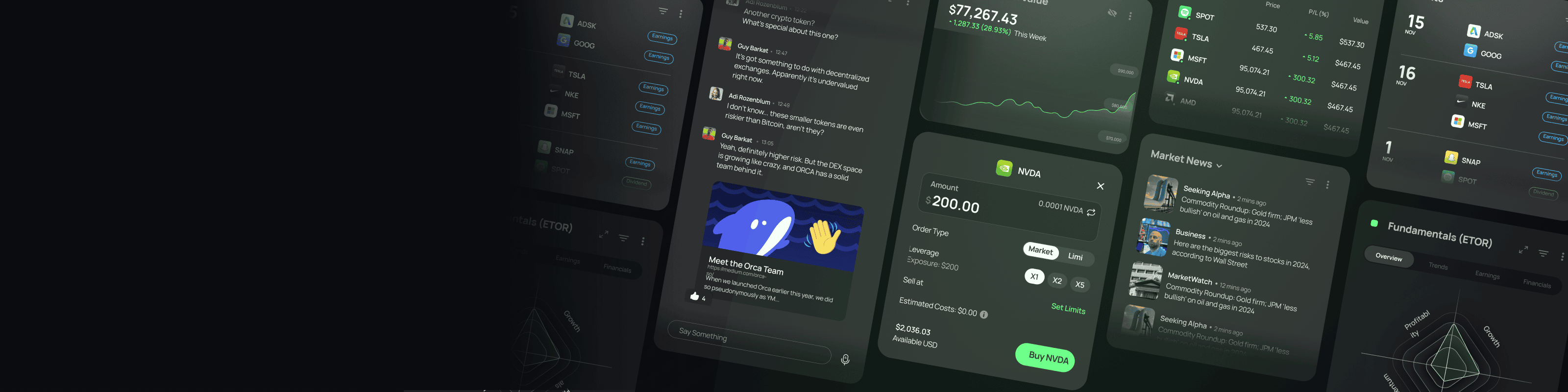
Tired of juggling tabs while trading? eToro Edge puts charts, news, portfolio, and order ticket on one screen. Analyze, monitor, and execute without switching. See how it works.
Ever found yourself with five browser tabs open—a chart in one, news in another, your portfolio somewhere in the mix—and you can't remember which tab has the order ticket? You're not alone. That constant tab-switching doesn't just waste time; it costs you opportunities. By the time you've clicked through three screens, the price has moved. That's the problem eToro Edge was built to solve.
### What Exactly Is eToro Edge?
eToro Edge is a professional-grade trading terminal for desktop. It pulls your charts, watchlists, screeners, news, portfolio, and order ticket onto a single, customizable canvas. The idea is simple: you should be able to analyze, monitor, and execute without ever leaving the screen. And because it connects to the same eToro account you already use (or can open in minutes for free), your portfolio and history stay in sync whether you're on the app or the terminal.
### One Account, Two Ways to Trade
The eToro app is great for trading on the go—quick check-ins, fast decisions, real-time alerts. eToro Edge is the desk that matches it: a full terminal where every tool sits side by side. The difference is how much you can see and do at once.
### What Can You Do on eToro Edge?
It's built around four things active traders do constantly: analyze, monitor, execute, and customize.
**Analyze**
- TradingView-powered charts give you professional-grade charting right in your workspace.
- Hundreds of technical indicators support any strategy you follow.
- Screeners help you surface new opportunities across markets.
- Market news sits beside the instrument, so headlines stay next to the chart they affect.
**Monitor**
- Linked watchlists stay connected across your entire canvas.
- Alerts and triggers track the moves you care about.
- Portfolio and positions remain in view at all times.
- Market context beside the chart helps you read the bigger picture.
**Execute**
- Entry, exit, and risk controls are right in context, next to your analysis.
- Limit orders let you set your price.
- Stop loss and take profit help you manage risk on every position.
- Trailing stop protects gains as the market moves.
**Customize**
- Drag, drop, and resize every panel.
- Choose only the tools you actually use, and leave out the rest.
- Connected watchlists, orders, and context work together as one system.
> "I used to spend half my time just arranging windows. Now everything I need is right there, and I can focus on the trade." — a sentiment echoed by many active traders.
### What Traders Are Loving About eToro Edge
- **Everything on one canvas.** Chart, watchlist, portfolio, and order ticket live on one screen—no tab switching.
- **Context you won't find elsewhere.** eToro Edge lets you view the positioning of millions of other eToro investors, a unique layer of market sentiment beyond the chart.
- **Markets that don't stop at the closing bell.** Trade select markets, including gold, oil, and major indices, around the clock. (Availability based on region.)
- **Multi-asset breadth.** Access stocks, ETFs, and crypto, plus CFDs where available.
- **A broker you can trust.** Strict adherence to applicable standards and regulation, with client money held separate from company funds.
### How to Start Trading on eToro Edge
1. **Join.** Sign up at eToro.com. It's straightforward.
2. **Open Edge.** Sign in at edge.eToro.com with your eToro credentials.
3. **Trade.** Set up your terminal just the way you like it.
It's that simple. No downloads, no complex setup—just your account and a browser.
So if you're tired of juggling tabs and losing seconds that turn into dollars, give eToro Edge a try. It might just be the upgrade your trading desk needs.
*eToro is a multi-asset investment platform. The value of your investments may go up or down. Your capital is at risk.*